Your Website Isn't
SEO-Ready
Until You Add Schema Markup
G Sriram
SDE III at HighLevel
Built schema markup tools at HighLevel —
140+ schema types
Scan to follow along
What Google Actually Sees
What you built
acme.com
Welcome to Acme Corp
Building the future, one widget at a time
Building the future, one widget at a time
Products
Reviews
Contact
What Google reads
<div
class="hero">
<h1>Welcome to Acme Corp</h1>
<p>Building the future...</p>
</div>
<div class="cards">
<div>Products</div>
<div>Reviews</div>
<div>Contact</div>
</div>
<!-- No structured data. -->
<!-- Google has to guess. -->
<h1>Welcome to Acme Corp</h1>
<p>Building the future...</p>
</div>
<div class="cards">
<div>Products</div>
<div>Reviews</div>
<div>Contact</div>
</div>
<!-- No structured data. -->
<!-- Google has to guess. -->
"You designed for humans. Search engines read this."
Schema = Name Tags
at a Party
Structured data is how your website introduces itself to machines.
What is Schema Markup?
- Shared vocabulary from Schema.org — maintained by Google, Microsoft, Yahoo, Yandex
- Tells search engines what your content means, not just what it says
- Three formats: JSON-LD, Microdata, RDFa — JSON-LD wins (recommended by Google)
-
Just a
<script type="application/ld+json">tag — no HTML changes needed
Why Should You Care?
- Rich results — ratings, FAQs, prices directly in search
- AI search — Perplexity, ChatGPT Search, Google AI Overviews rely on structured data
- CTR boost — not a direct ranking signal, but rich results get more clicks
☐ Without schema
A
acme.com
Acme Corp - Building the Future
Acme Corp is a leading provider of
innovative widgets and solutions for
businesses worldwide.
☑ With schema
A
acme.com
Acme Corp - Building the Future
★★★★★
Acme Corp is a leading provider of
innovative widgets...
What does Acme Corp do?
▾
Where is Acme Corp
located?
▾
Your First Schema:
Organization
{
  "@context": "https://schema.org",
  "@type": "Organization",
  "name": "Acme Corp",
  "url": "https://acme.com",
  "logo": "https://acme.com/logo.png",
  "sameAs": [
    "https://twitter.com/acme",
    "https://linkedin.com/company/acme"
  ],
  "contactPoint": {
    "@type": "ContactPoint",
    "telephone": "+1-800-555-0100",
    "contactType": "customer service"
  }
}
@context + @type are always required — every
schema starts here
sameAs links your social profiles — helps build
your Knowledge Graph entry
Highest-ROI Schema: FAQPage
{
  "@context": "https://schema.org",
  "@type": "FAQPage",
  "mainEntity": [{
    "@type": "Question",
    "name": "What is schema markup?",
    "acceptedAnswer": {
      "@type": "Answer",
      "text": "Schema markup is structured
        data you add to your website..."
    }
  }]
}
mainEntity is an array of Questions
acceptedAnswer must be an object, not a string!
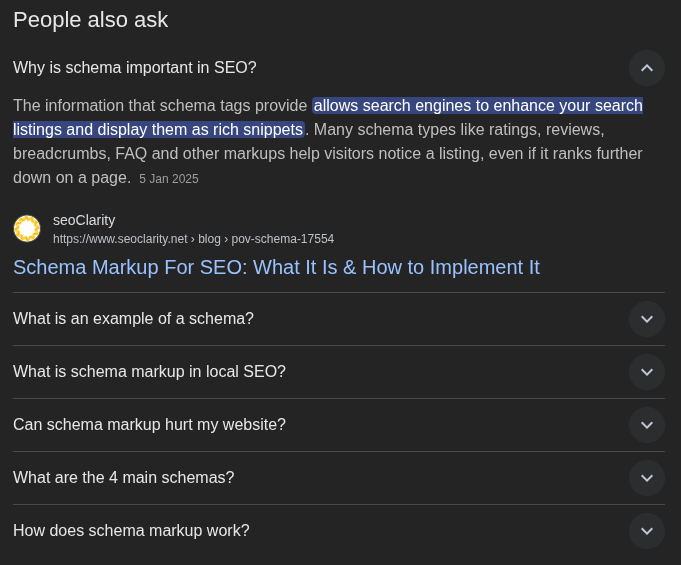
Schema Types: The Ones
That Actually Matter
Organization
Brand identity & socials
Product
Prices, ratings, availability
FAQPage
Expandable Q&A in search
LocalBusiness
Address, hours, phone
Article
Author, date, headline
Event
Date, location, tickets
Breadcrumb
Navigation path in results
HowTo
Step-by-step instructions
Schema.org has 800+ types. These ~10 cover 90% of real-world use cases.
Spot the Bug
❌ Wrong
{
  "@type": "FAQPage",
  "mainEntity": [
    {
      "@type": "Question",
      "name": "What is schema?",
      "acceptedAnswer": "Schema is
        structured data that..."
    }
  ]
}
✅ Correct
{
  "@context": "https://schema.org",
  "@type": "FAQPage",
  "mainEntity": [
    {
      "@type": "Question",
      "name": "What is schema?",
      "acceptedAnswer": {
        "@type": "Answer",
        "text": "Schema is structured
          data that..."
      }
    }
  ]
}
1
Missing @context — parser doesn't
know you're using Schema.org
2
acceptedAnswer is a string — must
be an Answer object
3
Missing @type: "Answer" on the nested
object
Things That Will
Bite You
- Validation ≠ rich results — Google decides eligibility separately; passing validation is necessary but not sufficient
- SPAs & client-side rendering — Googlebot may not execute your JS; use SSR, SSG, or prerendering for schema
- Schema drift — content changes but schema stays stale (wrong prices, outdated FAQs, closed locations)
- Duplicate schemas — multiple conflicting schema blocks on one page confuse parsers
-
No good all-in-one validator
— I forked Adobe's
structured-data-validatorto support 140+ types with automatic subtype inheritance
Validate Before You Ship
1
Write your JSON-LD
Add the script tag to your page's
<head>
2
Google Rich Results Test
Tests if your markup qualifies for
rich result features
3
Schema Markup Validator
Tests structural correctness against
the Schema.org spec
4
Google Search Console
Monitor for errors and warnings
after deployment
+
CI/CD Validation
structured-data-validator
for automated checks in your
pipeline
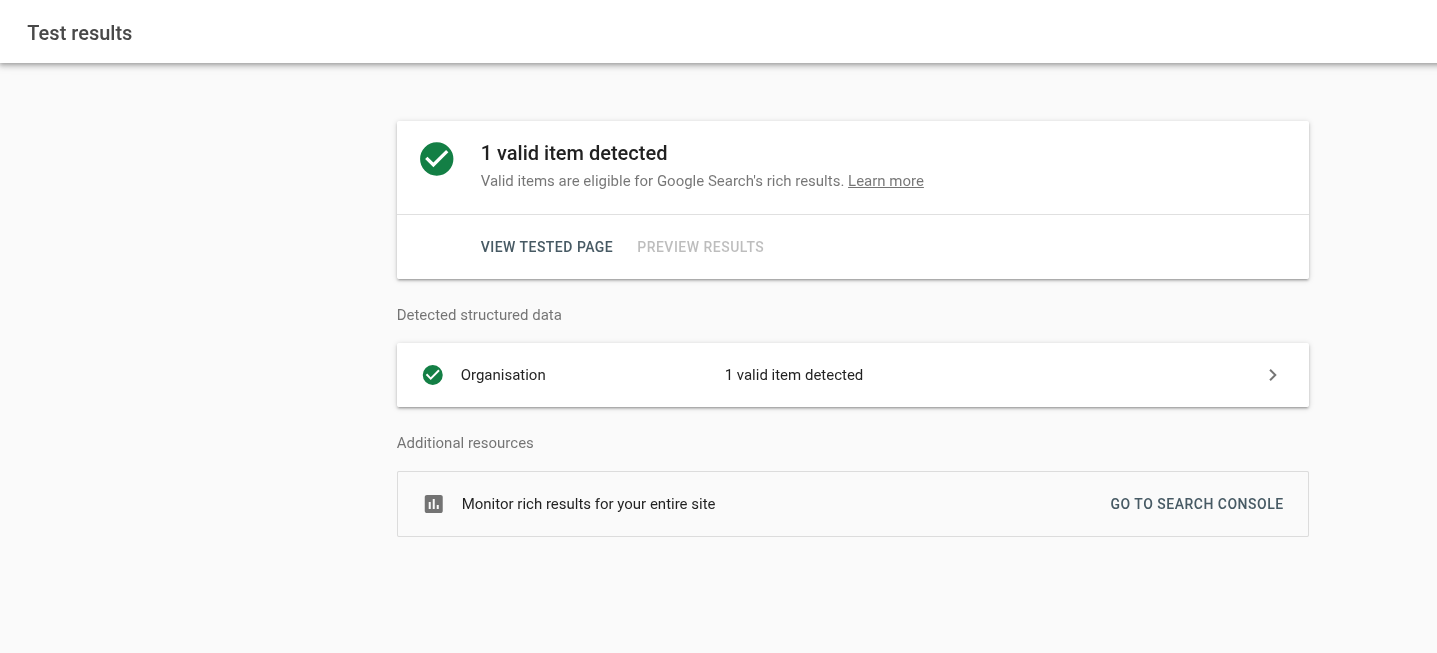
▶ DEMO TIME
5 Things You Can
Do Tonight
- Add Organization schemato your homepage — takes 10 minutes
- Add FAQPage schemato any page with FAQ content — free rich results
- Run your sitethrough Google Rich Results Test — see what you're missing
- Use JSON-LD,not Microdata — cleaner, no HTML changes, easier to maintain
- Add validationto your deploy pipeline — catch schema bugs before they ship
Resources
Schema.org
schema.org
Google Search Central — Structured
Data
developers.google.com
Google Rich Results Test
search.google.com/test/rich-results
Schema Markup Validator
validator.schema.org
structured-data-validator (my fork)
npm: @gsriram24/structured-data-validator
Thank You!
Scan for slides, links & socials
Questions?